Send a form, collect a signature: the whole workflow in one tool
Build a fillable form with AI, share one link, collect responses and legally-signed e-signatures, and get a sealed PDF back — one workflow, start to finish.
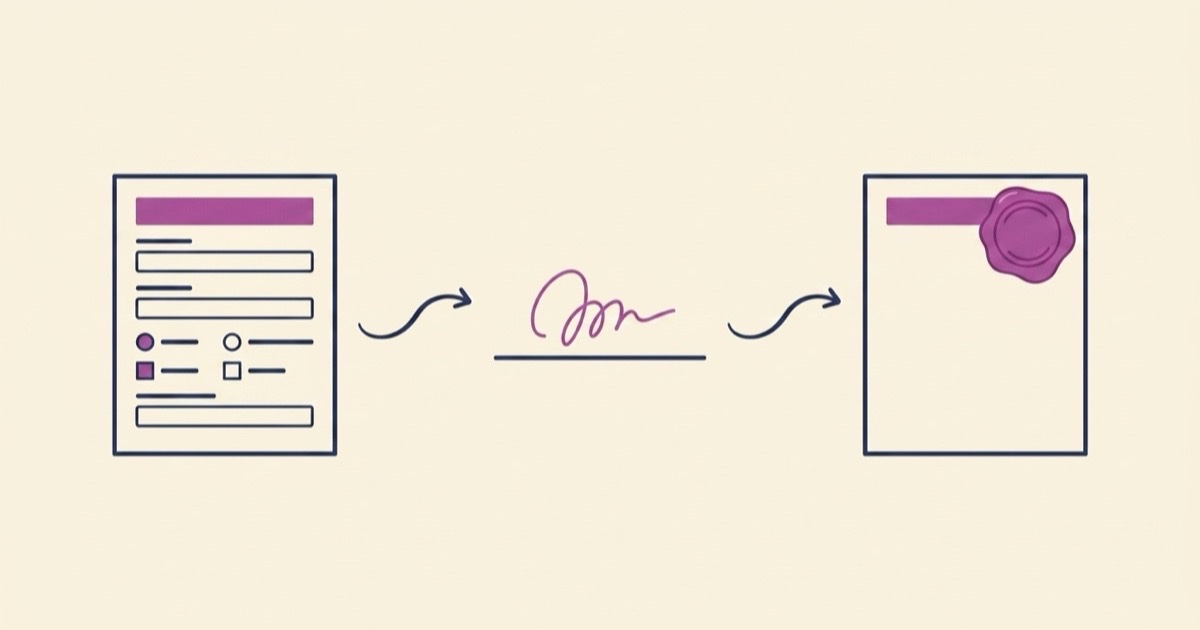
Getting a form filled out and signed usually takes three tools: one to make the document, one to collect the signature, and email to shuttle the pieces between them. Here's how to create a fillable form online, share it with one link, and get a signed, sealed PDF back — all in one place.
Key takeaways
- Describe the form in plain English and EZdoc designs a fillable version — fields, layout, and all.
- Share one link. People fill and sign in the browser; they don't need an account.
- Responses and legally-signed e-signatures collect in one dashboard, and each signed response comes back as a sealed PDF.
- Already have a contract? EZdoc can convert an existing contract or legal document into a fillable form.
- Forms are included on every plan — each response counts toward your monthly allowance.
The status quo is a paperwork relay
Think about the last time you needed a signed waiver or intake form back from someone. The usual sequence: build the form in a document editor, export a PDF, email it as an attachment, and hope the other person can open it. They print it, sign it with a pen, photograph or scan it, and email it back — sideways, page two missing.
The "modern" version isn't much better. You make the document in one tool, upload it to a separate e-signature service, and track responses in a spreadsheet somewhere else. Three subscriptions, three logins, and the actual answers scattered across all of them. Nothing about the job requires that. The job is: get this form in front of a person, get their answers and signature, get a finished document back.
Create a fillable form online in one step
On EZdoc the whole thing starts with a sentence. Open a form generator — say, the AI intake form generator — and describe what you need:
"A new-client intake form for my design studio — contact details, project goals, budget range, timeline, and how they found us."
EZdoc designs the form for you: real fields of the right types, sensible grouping, and a layout that looks like something you'd be glad to put your name on. It's not a blank grid you drag boxes onto — it's a designed document that happens to be fillable. If a field is wrong or missing, edit it. Every generated form opens in the visual editor, and editing is always free.
Share one link
When the form is ready, you get a fill link. That link is the whole distribution strategy: text it, email it, put it behind a QR code at your front desk. Anyone who opens it can fill out the form in their browser — phone or laptop — without creating an account. No app to install, no login wall between you and their answers.
Every submission lands in one place on your EZdoc dashboard. No inbox archaeology, no "did you get my attachment?" thread.
Add a signature step
Plenty of forms aren't done until someone signs them. Waivers, agreements, releases, authorizations — the signature is the point. Add a signature field and the fill link becomes a signing link: the person completes the form, draws their signature, and confirms consent before it counts. The signature is captured with an audit trail — timestamps, signer IP, and the event log — so what you get back is a legally-signed e-signature, not a typed name in a text box.
What comes back: a sealed PDF
This is the part that replaces the print-sign-scan loop. When someone submits a signed form, EZdoc merges their answers and signature into your document's design and locks the result. You get a sealed PDF back — their responses typeset in your layout, signature and consent record attached, ready to file. Not a raw data export you have to reassemble into a document later. The document is the deliverable.
Already have the contract? Convert it
You don't have to start from a prompt. If you already have a finished contract, NDA, or service agreement in EZdoc, you can convert it into a fillable form directly. EZdoc reads the document, finds the parts that need input — names, dates, terms, the signature block — and turns them into fields while keeping your language intact. The agreement you spent time getting right becomes the thing people fill and sign, instead of a reference document you retype into some other tool's form builder.
24 form types, tuned to the job
Rather than one generic form builder, EZdoc ships 24 form types, each tuned to what that form actually needs to collect. A few examples:
- Client intake — contact info, project scope, budget, and the questions you always forget to ask up front.
- Waiver — activity description, risk acknowledgment, and a signature with recorded consent.
- Rental application — applicant details, employment, references, and authorization.
- Photo release — usage permissions with a clear, signed grant.
- NDA — the confidentiality terms, party details, and both signature blocks.
Browse the full set with live examples at AI form examples — every type has a real generated form you can look at before you start.
What it costs
Straight answer: forms are included on every plan, e-signatures and all. Build a form on a free account (confirm your email first) and collect responses within the free monthly allowance. Each response counts against your plan's monthly allowance — so a busy month is a known quantity, not a surprise invoice — and paid plans raise that allowance from dozens of responses to thousands.
The whole loop, start to finish
- Describe the form — or convert an existing contract.
- Tweak anything in the visual editor.
- Share the fill link. No account needed on the other end.
- Watch responses and signatures collect in one dashboard.
- Get a sealed, signed PDF back for every submission.
One tool, one link, one finished document. Start at ezdoc.app/forms and describe the form you've been meaning to send.