Love That Document? Make It a Template
Any document EZdoc generates — or any document you upload — becomes a reusable template in one click. The design stays; the values become placeholders you can merge a CSV against.
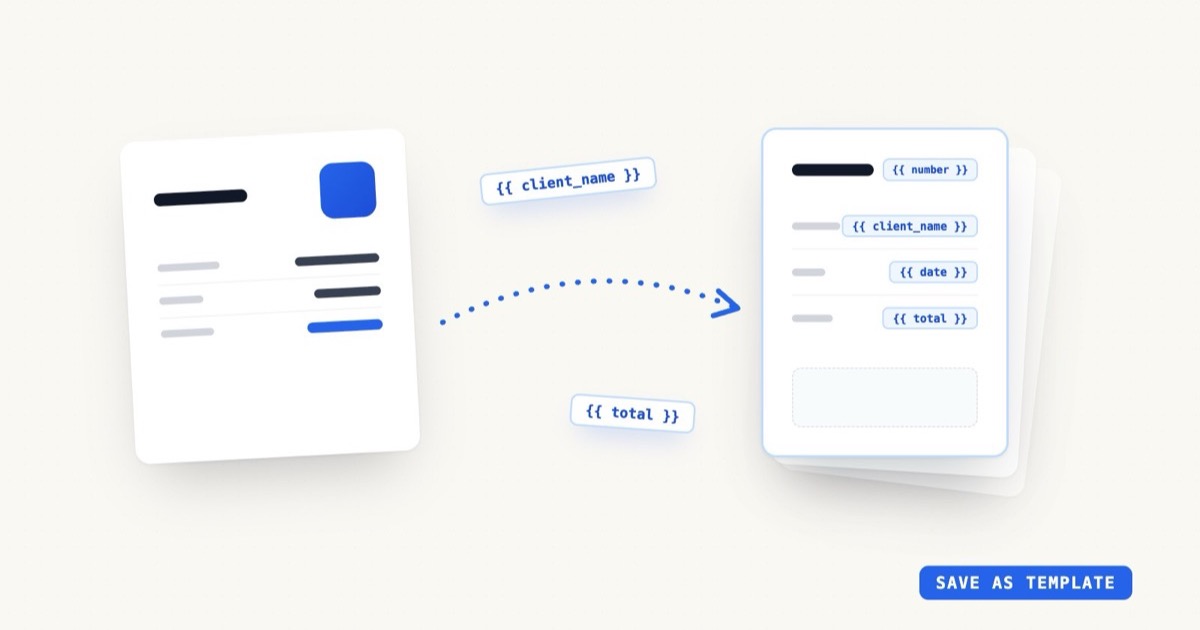
There's a moment that happens constantly in EZdoc: someone generates a document — an invoice, an offer letter, a certificate — and it comes out right. The layout is balanced, the brand colors landed, the typography looks intentional. And then they need the same document again next week, with different names and numbers.
Until recently the answer was "generate it again and hope the magic repeats," or "edit the PDF by hand." Now there's a better one: make it the template.
Key Takeaways
- Any document EZdoc generates — or any document you upload — becomes a reusable template in one click
- The values that change become
{{ placeholders }}; the design you trusted doesn't move- Merge a CSV against your template and generate hundreds or thousands at once
- Add an
_email_tocolumn and every copy is delivered to its recipient automatically- Saved templates sit alongside the 240+ designs in the template gallery
From one-off to asset
A generated document is a one-off. A template is an asset — it compounds.
When you templatize a document, EZdoc keeps the entire design — the grid, the fonts, the spacing, your logo placement — and swaps the specific parts for named variables:
Billed to: Maya Okafor        →   Billed to: {{ client_name }}
Date: Jun 11, 2026            →   Date: {{ date }}
Total: $2,840.00              →   Total: {{ total }}
The next invoice doesn't start from a blank prompt. It starts from a design you've already approved, with three blanks to fill.
Where it gets powerful: your data
Placeholders make a template reusable. Data makes it scale.
Upload a CSV, an Excel file, or a Google Sheet where the column headers match your placeholders — client_name, date, total — and EZdoc generates one finished PDF per row. Ten rows or a thousand, the design holds on every single one. Liquid logic (conditionals, loops, calculations) works inside templates too, so a line-items table can grow per row and the totals can compute themselves.
And if your CSV has an _email_to column, EZdoc doesn't just generate the documents — it sends them, each PDF to its own recipient. Design → template → batch → delivery, without leaving the platform. The bulk generation page walks through the whole pipeline.
Three ways to get a template
- Templatize a generated document. Generate until you love it, then save it as a template. The AI marks the obvious variables; you can adjust which parts are fixed and which are blanks.
- Start from the gallery. 240+ professionally designed templates across invoices, certificates, contracts, letters, real estate, healthcare, education, and more — every one editable and merge-ready. Browse the template gallery.
- Upload what you already use. Bring the document your team has used for years; EZdoc detects the variable parts and turns it into a merge-ready template.
The quiet win
The teams that get the most out of EZdoc usually follow the same arc: they come for a single document, generate a few until one is exactly right, templatize it — and then that template quietly becomes how the whole team ships that document. Nobody redesigns the offer letter anymore. They fill in four fields, or they drop in the quarter's CSV.
That's the goal: design the document once, with as much care as you like — then never design it again.