Upload Any Document. Tell AI What to Change. Download the Redesign.
Upload a PDF, image, or HTML file. Describe changes in plain English. AI redesigns your document and delivers a polished PDF in 45 seconds. Free tier available.
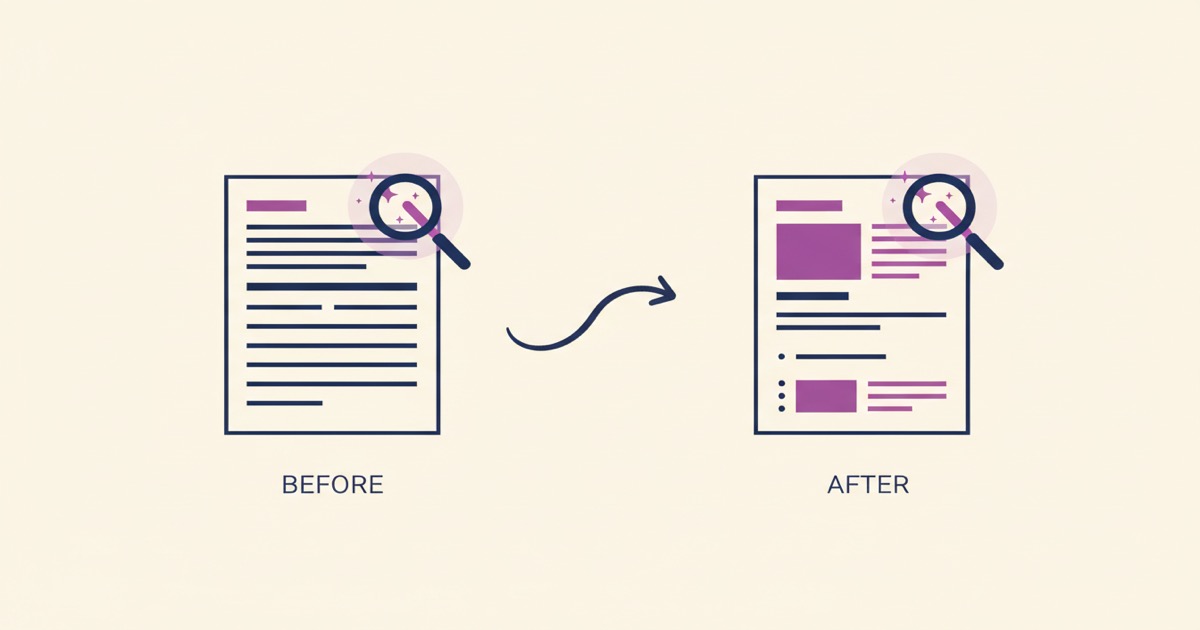
You have a document that works. Maybe it's an invoice you set up in Word three years ago. Maybe it's a resume you built in college. Maybe it's a form your HR department has been photocopying since 2019. The content is fine. The information is correct. But it looks like it was designed during the Obama administration.
So you think: I should just update this. How hard can it be?
Then you open it. The formatting is fragile. You change one font and the margins break. You move the logo and three paragraphs shift. You spend forty minutes nudging table borders and end up with something that looks different, but not better. Or you consider hiring a designer, but you can't justify $200 for an invoice template. You're stuck between "good enough" and "I don't have time for this."
That's the problem we just solved.
Key Takeaways
- Upload any existing PDF, image, or HTML document and describe changes in plain English
- AI recreates your document with modifications applied, delivered as a downloadable PDF in about 60 seconds
- Save results as reusable templates for batch generation from spreadsheet data
- Free tier includes 3 AI generations, paid plans start at $19/mo with daily generation limits
What did we build?
Most professionals reuse existing documents rather than creating new ones from scratch. That tracks with what we've been hearing from users. People don't want to start over. They want to update what they already have.
So we built an "Edit Existing Document" mode in the AI Builder. Upload any document you have — whether it's a PDF, a photo, or an HTML file — and describe what you want changed. The AI sees your document, understands the layout, and recreates it with your modifications applied.
Not a filter. Not an overlay. A full rebuild that preserves what matters and changes what you asked for.
How is this different from a PDF editor?
PDF editors let you click on individual text boxes and retype words. That works for fixing a typo. It doesn't work when you want to modernize a layout, change a color scheme, restructure sections, or make a document look like it was designed this decade.
This is closer to handing your document to a designer and saying "make it modern" or "switch everything to our new brand colors." Except it takes about a minute instead of two days.
How does it work?
Three steps, nothing technical.
Step 1: Upload your document. Drag in a PDF, PNG, JPG, or HTML file. The AI examines the full layout — text, structure, colors, spacing, and images.
Step 2: Describe what you want changed. Type it in plain English. "Modernize the design and use navy blue." "Update the phone number to 555-0123 and add our new logo." "Make it cleaner and more minimal." Be as specific or as vague as you want.
Step 3: Download or refine. About 45 seconds later, you're looking at your updated document. Download it as a PDF. Or tell the AI to adjust something: "Make the header bigger" or "Switch to a serif font." You can refine as many times as you need.
That's it. No design tools to learn. No templates to browse. Your document goes in looking dated. It comes out looking professional.
Real example: a resume redesign
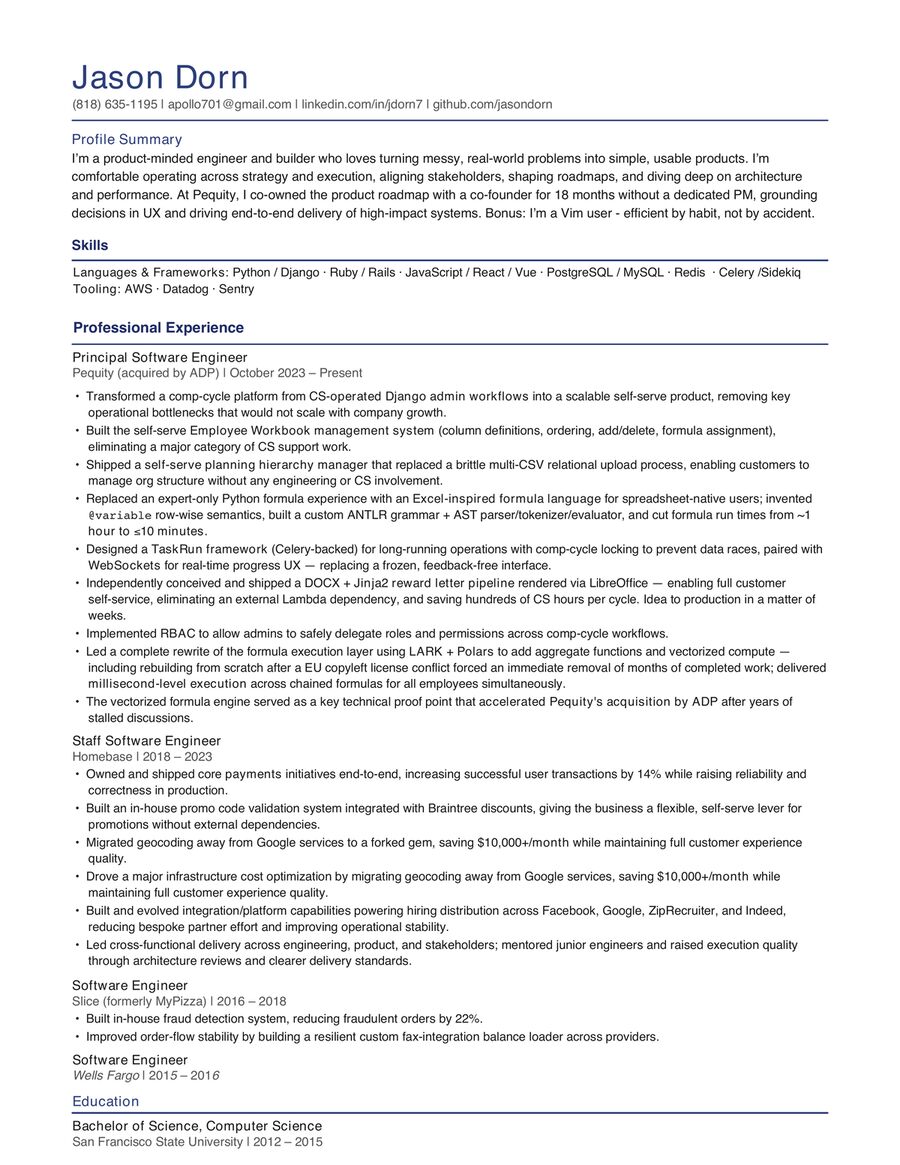
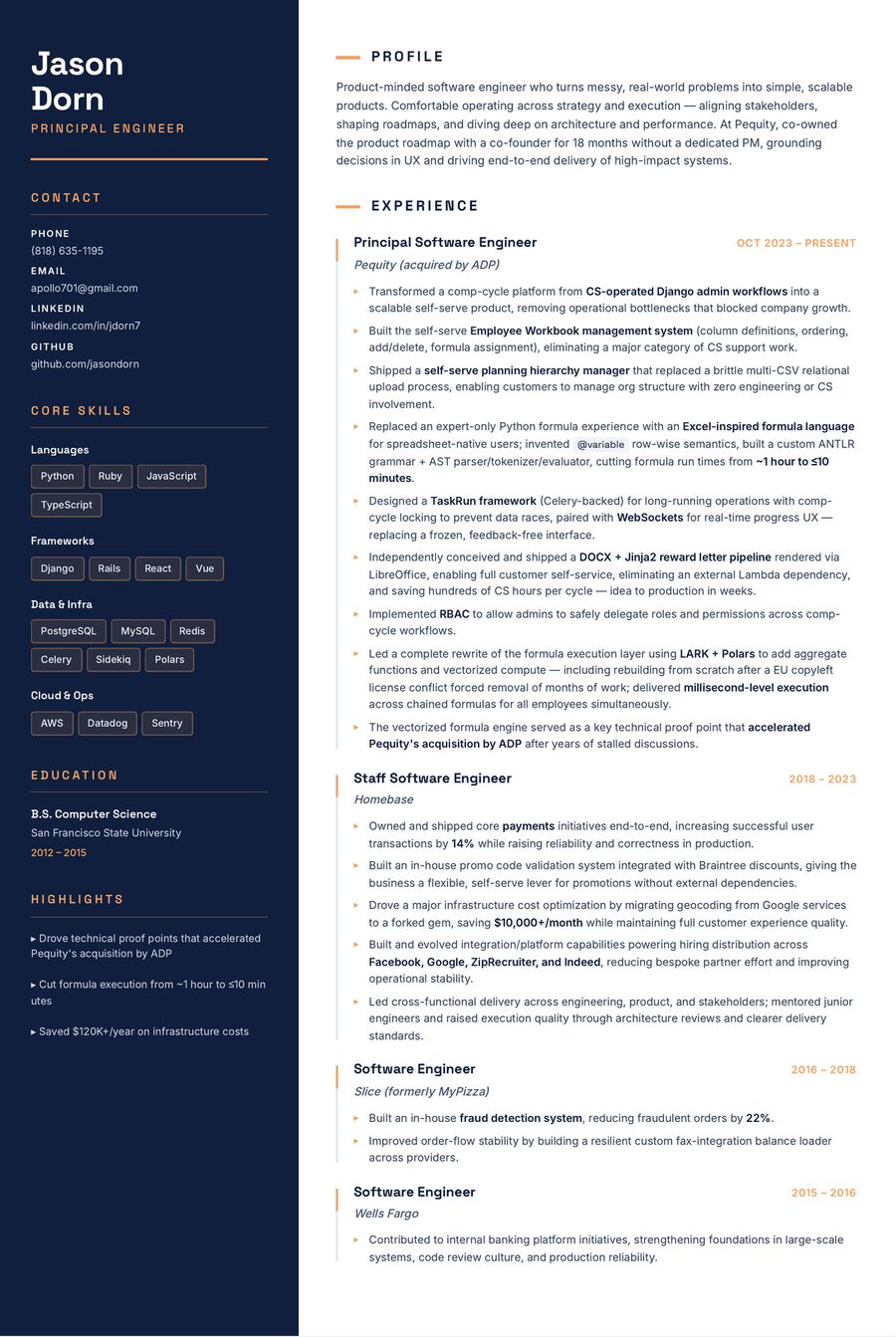
Here's my own resume — the original on the left, and what came out of the AI editor on the right. Same content, completely different presentation. This took about 60 seconds.
Before
After (EZdoc AI)
Who is this for?
Small business owners updating invoices and quotes
Your invoice template has served you well, but your clients see it every month. A refreshed design signals that your business is growing and professional. Upload your current invoice, say "modernize this with a clean, contemporary look," and you're done.
Job seekers modernizing resumes
I've talked to users who have strong resumes with solid content, but the formatting screams 2016. Rewriting from scratch means risking the careful wording they've spent years refining. Upload the existing resume, say "make this look modern and clean, keep the same content," and every word stays intact while the design catches up.
HR teams refreshing internal forms
Onboarding packets, policy acknowledgments, benefits enrollment forms. They work, but they haven't been updated since someone made them in Word years ago. Upload the batch, describe the new look, and save each result as a reusable template for next open enrollment.
Nonprofits and schools updating certificates
Your certificate of completion looks the same as it did five years ago. Upload it, say "make this elegant with a gold accent and modern typography," and you've got something recipients will actually want to frame.
Consultants rebranding proposals
You changed your logo and brand colors six months ago, but your proposal template still has the old ones. Upload the proposal, say "update all colors to match our new brand," and every page matches.
What can you ask it to do?
Here are real examples that work well:
- "Modernize the design, keep the same content and structure"
- "Change all colors to match our brand: navy (#1B2A4A) and gold (#C9A84C)"
- "Update the company phone number to (555) 867-5309 and the address to 123 Main St"
- "Make this more minimal, remove the decorative borders"
- "Add a professional header with our company name"
- "Make the text larger and more readable"
What surprised us most during testing is that vague instructions often produce the best results. "Make this look more professional" works better than you'd expect, because the AI understands design conventions. It knows what "professional" means for an invoice versus a certificate versus a flyer.
You can also save the result as a reusable template. That means you can take your refreshed invoice design, save it with smart placeholders, then generate hundreds of personalized versions from a spreadsheet later.
FAQ
What file types can I upload?
PDF, PNG, JPG, and HTML. Most people use PDFs since that's what they have saved from Word or Google Docs exports.
Does it preserve my exact text?
When you ask for design changes only, the AI preserves your content. If you want text changes too, describe them explicitly: "update the phone number to..." or "change the company name to..."
How much does it cost?
The free tier includes 3 AI generations total, so you can test it without a credit card. Paid plans start at $19/mo and include daily generation limits along with every other feature we offer.
What if the result isn't quite right?
Refine it. After the initial generation, give follow-up instructions: "make the header larger," "switch to a different font," "move the logo to the right." Each refinement takes about 60 seconds. Iterate until it's exactly what you want.
Upload what you have. Describe what you want. Download the result.
Try it free, no credit card required.
-- Jason