We Made a Free Invoice Template with Dynamic Line Items — Here's How It Works
Small businesses lose 24 days a year to admin. We built a free Word invoice template with dynamic line items you can generate from a spreadsheet in 30 seconds.
My friend Marcus runs Steeped & Leafy Co., a small tea company in Portland. Last fall, I watched him spend an hour every Friday afternoon copy-pasting invoices in Apple Pages. Different clients, different products, different quantities, different totals. He'd glance at his spreadsheet, type the client name, type the address, type each line item, calculate the total, export to PDF, and start over.
I finally asked him: "Your product list is already in a spreadsheet. Why are you retyping all of this?"
That question became this template. And this post. Below you'll find the exact Word invoice template Marcus uses, sample data from three of his clients, and the actual PDFs it generates. No signup required, no email gate. Just download and use it.
Key Takeaways
- Small businesses lose 24 working days per year to financial admin (Sage, 2025)
- The median cost to manually process one invoice is $5.83 (APQC, 2023)
- A Word template with
{{ placeholders }}can generate personalized invoices from any spreadsheet- Dynamic line items mean one template handles invoices with 2 items or 20
- Everything in this post is free to download and use
How Much Time Are You Really Spending on Invoices?
More than you think. A 2025 survey of over 3,000 small businesses found that SMBs lose 24 full working days per year to financial admin tasks like invoicing and payment processing (Sage, 2025). That's nearly five complete work weeks, gone.
Let's do the math for a typical small business. If you send 50 invoices a month and each one takes 8 minutes to create manually, that's almost 7 hours. Every single month. You copy the client name, paste the address, type out each line item, calculate the subtotal, add tax, add shipping, format it, export to PDF. Then you do it all over again for the next client.
And it's not just time. It costs real money.
Across 1,485 organizations surveyed by the American Productivity & Quality Center, the median cost to process a single invoice is $5.83 (APQC, 2023). Best-in-class teams get it down to $1.77. But most small businesses, when you factor in the founder's time? They're closer to $12-15 per invoice. That's $600-750 a month on a task that a computer could handle.
What would you do with an extra week every year?
What If Your Invoice Could Fill Itself In?
In every workflow I've watched, the bottleneck is the same: retyping data that already exists somewhere else. The answer isn't typing faster. It's not typing at all. Your data already lives in a spreadsheet, and a smart template can pull it directly.
Here's what I noticed watching Marcus work. He had a Google Sheet with every tea order already logged. Client name, shipping address, products, quantities, unit prices. All of it. He was staring at his spreadsheet and then retyping the exact same information into a blank Pages document. Every. Single. Week.
The data was already there. The invoice was just that same data arranged differently on a page.
So what if the document could pull directly from the spreadsheet?
That's exactly what a smart template does. You write your invoice in Word, the same Word you already know, but instead of typing "Elena Marchetti" in the client name field, you type {{ payee_first_name }} {{ payee_last_name }}. Instead of hardcoding "$48.00" for the unit price, you type {{ item.price }}.
Those curly brackets are placeholders. When you run the template against your data, every placeholder gets replaced with real values from your spreadsheet. One template. One spreadsheet. Any number of invoices.
What we found: When we tested this with Marcus's real invoicing workflow, his weekly invoice time dropped from 55 minutes to about 2 minutes, a 96% reduction. The template handles 3 clients or 30 with zero additional effort.
Marcus's reaction was something like: "Wait, that's it? I just put the column names in curly brackets?" Yes. That's it. The template does the rest.
Can You See It in Action?
Seeing is faster than reading. We packaged Marcus's exact template, sample data from three of his clients, and the generated invoices into an interactive demo you can try right here.
/* ═══════════════════════════════════════════════════════ DEMO COMPONENT — self-contained, embeddable in blog ═══════════════════════════════════════════════════════ */ .demo-container { max-width: 840px; margin: 2.5rem auto; } /* ── Three-panel flow: Template + Data = Result ────── */ .demo-flow { display: grid; grid-template-columns: 1fr auto 1fr auto 1fr; gap: 0; align-items: center; margin-bottom: 2rem; } @media (max-width: 768px) { .demo-flow { grid-template-columns: 1fr; gap: 1rem; } .demo-flow-arrow { transform: rotate(90deg); } } .demo-card { background: #ffffff; border: 1px solid #e2e8f0; border-radius: 12px; padding: 1.5rem; text-align: center; transition: border-color 0.2s, box-shadow 0.2s; } .demo-card:hover { border-color: #c7d2fe; box-shadow: 0 4px 12px rgba(99, 102, 241, 0.08); } .demo-card-icon { display: inline-flex; align-items: center; justify-content: center; width: 48px; height: 48px; border-radius: 12px; margin-bottom: 0.75rem; } .demo-card-icon.template { background: #ede9fe; color: #7c3aed; } .demo-card-icon.data { background: #dbeafe; color: #2563eb; } .demo-card-icon.result { background: #dcfce7; color: #16a34a; } .demo-card-label { font-size: 0.6875rem; font-weight: 600; text-transform: uppercase; letter-spacing: 0.05em; color: #94a3b8; margin-bottom: 0.25rem; } .demo-card-title { font-size: 1rem; font-weight: 600; color: #1e293b; margin-bottom: 0.5rem; } .demo-card-desc { font-size: 0.8125rem; color: #64748b; line-height: 1.5; margin-bottom: 1rem; } .demo-download-btn { display: inline-flex; align-items: center; gap: 6px; padding: 8px 16px; font-size: 0.8125rem; font-weight: 500; color: #4f46e5; background: #eef2ff; border: 1px solid #c7d2fe; border-radius: 8px; text-decoration: none; transition: all 0.15s; cursor: pointer; } .demo-download-btn:hover { background: #e0e7ff; border-color: #a5b4fc; color: #4338ca; } .demo-flow-arrow { display: flex; align-items: center; justify-content: center; padding: 0 0.5rem; } .demo-flow-arrow svg { color: #cbd5e1; } /* ── Try-it section ─────────────────────────────────── */ .demo-try { background: linear-gradient(135deg, #f8fafc 0%, #f1f5f9 100%); border: 2px dashed #cbd5e1; border-radius: 16px; padding: 2.5rem 2rem; text-align: center; transition: border-color 0.2s, background 0.2s; cursor: pointer; position: relative; } .demo-try:hover, .demo-try.dragover { border-color: #818cf8; background: linear-gradient(135deg, #eef2ff 0%, #e0e7ff 100%); } .demo-try.dragover { border-style: solid; } .demo-try-icon { display: inline-flex; align-items: center; justify-content: center; width: 56px; height: 56px; border-radius: 50%; background: #eef2ff; color: #6366f1; margin-bottom: 1rem; transition: transform 0.2s; } .demo-try:hover .demo-try-icon { transform: scale(1.05); } .demo-try-title { font-size: 1.125rem; font-weight: 600; color: #1e293b; margin-bottom: 0.25rem; } .demo-try-desc { font-size: 0.875rem; color: #64748b; margin-bottom: 1.25rem; } .demo-try-hint { font-size: 0.75rem; color: #94a3b8; margin-top: 1rem; } .demo-try-btn { display: inline-flex; align-items: center; gap: 8px; padding: 12px 28px; font-size: 0.9375rem; font-weight: 600; color: #ffffff; background: linear-gradient(135deg, #6366f1 0%, #4f46e5 100%); border: none; border-radius: 10px; cursor: pointer; transition: all 0.2s; box-shadow: 0 2px 8px rgba(99, 102, 241, 0.3); } .demo-try-btn:hover { transform: translateY(-1px); box-shadow: 0 4px 16px rgba(99, 102, 241, 0.4); } /* ── Processing state ────────────────────────────────── */ .demo-processing { display: none; text-align: center; padding: 2.5rem 2rem; } .demo-processing.active { display: block; } .demo-progress-bar { width: 100%; max-width: 320px; height: 6px; background: #e2e8f0; border-radius: 3px; margin: 1.25rem auto; overflow: hidden; } .demo-progress-fill { height: 100%; background: linear-gradient(90deg, #6366f1, #818cf8); border-radius: 3px; width: 0%; transition: width 0.3s ease; } .demo-processing-label { font-size: 0.875rem; color: #64748b; } .demo-processing-step { font-size: 0.8125rem; color: #94a3b8; margin-top: 0.5rem; } /* ── Result state ────────────────────────────────────── */ .demo-result { display: none; text-align: center; padding: 2rem; background: #ffffff; border: 1px solid #d1fae5; border-radius: 16px; } .demo-result.active { display: block; } .demo-result-icon { display: inline-flex; align-items: center; justify-content: center; width: 56px; height: 56px; border-radius: 50%; background: #dcfce7; color: #16a34a; margin-bottom: 1rem; } .demo-result-title { font-size: 1.125rem; font-weight: 600; color: #1e293b; margin-bottom: 0.25rem; } .demo-result-desc { font-size: 0.875rem; color: #64748b; margin-bottom: 1.25rem; } .demo-result-download { display: inline-flex; align-items: center; gap: 8px; padding: 12px 28px; font-size: 0.9375rem; font-weight: 600; color: #ffffff; background: linear-gradient(135deg, #16a34a 0%, #15803d 100%); border: none; border-radius: 10px; cursor: pointer; text-decoration: none; transition: all 0.2s; box-shadow: 0 2px 8px rgba(22, 163, 74, 0.3); } .demo-result-download:hover { transform: translateY(-1px); box-shadow: 0 4px 16px rgba(22, 163, 74, 0.4); color: #ffffff; } .demo-reset { display: inline-block; margin-top: 1rem; font-size: 0.8125rem; color: #6366f1; cursor: pointer; border: none; background: none; text-decoration: underline; text-underline-offset: 2px; } .demo-reset:hover { color: #4338ca; } /* ── CSV preview table ───────────────────────────────── */ .demo-csv-preview { margin-top: 2rem; overflow-x: auto; border: 1px solid #e2e8f0; border-radius: 10px; } .demo-csv-preview table { width: 100%; border-collapse: collapse; font-size: 0.8125rem; } .demo-csv-preview th { background: #f8fafc; padding: 8px 12px; text-align: left; font-weight: 600; color: #475569; border-bottom: 1px solid #e2e8f0; white-space: nowrap; } .demo-csv-preview td { padding: 8px 12px; color: #64748b; border-bottom: 1px solid #f1f5f9; white-space: nowrap; } .demo-csv-preview tr:last-child td { border-bottom: none; } .demo-csv-preview .col-highlight { color: #6366f1; font-weight: 500; }| Client | Location | Line Items | Subtotal | Total |
|---|---|---|---|---|
| Elena Marchetti | Brooklyn, NY | 4 items (darjeeling, jasmine, blend, tins) | $1,358.00 | $1,466.64 |
| James Whitfield | San Francisco, CA | 3 items (pu-erh, oolong, gaiwan set) | $884.00 | $900.72 |
| Priya Kapoor | Chicago, IL | 5 items (sencha, matcha, tools) | $1,776.00 | $1,776.00 |
Try again
How Does One Template Handle Different Numbers of Line Items?
This is the part that surprised Marcus the most. Elena Marchetti ordered 4 products. James Whitfield ordered 3. Priya Kapoor ordered 5. A normal invoice template has a fixed number of rows in the line items table. You'd need to create separate templates for each scenario, or manually add and delete rows every time.
Dynamic rows solve this completely.
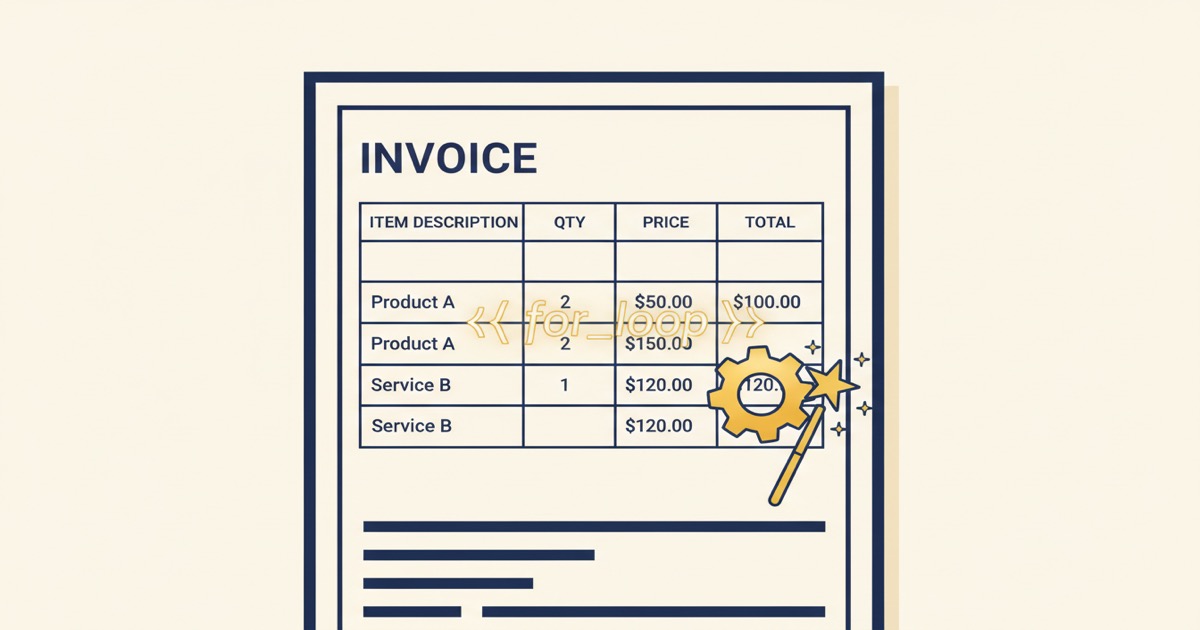
In the template, there's one row in the line items table that acts as a pattern. It says: "For each item in this order, create a row with the description, quantity, unit price, and line total."
When the template runs against a client with 4 items, it creates 4 rows. Eight items? Eight rows. You never touch the template.
Have you ever accidentally sent an invoice with the wrong line items? That can't happen here. The data in your spreadsheet is the single source of truth.
What About Invoices That Need Tax, Shipping, or Discounts?
Here's a small detail that makes a big difference in how professional your invoices look. Nobody wants to see blank rows and '$0.00' lines on a clean invoice. Smart templates solve this with IF/THEN rules that show only the sections each invoice actually needs.
Not every invoice requires a shipping line. Not every client gets a discount. Some need tax, others don't.
Here's how the IF/THEN rules work in practice. You wrap optional rows in a simple condition: "If there's a shipping cost, show the shipping row. If not, skip it entirely."
This means one template works for all your invoicing scenarios:
- Client A gets tax plus shipping, so both rows appear
- Client B gets no tax and no shipping, so the invoice shows just the subtotal and balance due
- Client C gets a discount, so the discount row appears between subtotal and total
No blank rows. No "N/A" placeholders. No "$0.00" lines cluttering the document. The invoice looks like it was hand-crafted for each client, because the template is smart enough to show only what's relevant.
This matters more than you'd expect. A clean invoice without junk rows tells your clients you have your act together. They notice. And they pay faster when the amount owed is obvious.
Where Can You Download the Template?
Everything Marcus uses is yours. No signup required, no email gate, no trial that expires in 14 days.
- Download the invoice template (.docx) - Open it in Word or Google Docs. Customize the colors, add your logo, change the company info. The placeholder structure stays the same.
- Download sample data (.csv) - Three tea company invoices with different clients, line items, and totals. Open it in Excel, Google Sheets, or any spreadsheet app.
- Download example PDFs (.zip) - Three invoices, already filled out. See exactly what the output looks like before you change a thing.
Customize it however you want. Add your logo. Change the colors. Rearrange the sections. The smart placeholders will keep working as long as the {{ }} tags stay intact. You can even add new placeholders that match columns in your spreadsheet.
Think of it like a mail merge, but for invoices with variable-length line items. Most mail merge tools can swap out a name or an address. This handles entire tables of data that change size from one document to the next.
What If You Need More Than a Handful of Invoices?
The template itself is free, and for low volume it might be all you need. If you're generating three or four invoices a week, open Word, do a quick find-and-replace, export to PDF. Simple enough.
But if your invoice count is climbing — 50, 100, or 1,000 a month — doing that manually doesn't scale. That's exactly what EZdoc was built for. Upload the template once. Upload your spreadsheet. Click Generate. All your invoices, generated in seconds, packaged as a ZIP download.
The free tier gives you 25 pages per month, forever. No credit card. No time limit.
Paid plans start at $19/month for 1,000 pages, and every paid plan includes everything. No features locked behind higher tiers. We wrote about why we killed feature-gated pricing if you're curious about the reasoning.
FAQ
Do I need to know how to code to use this template?
Not at all. If you can use Word and a spreadsheet, you can use this template. The {{ placeholder }} syntax looks a bit unusual at first, but you never need to write code. Just type the placeholder names in your document and match them to column headers in your spreadsheet.
Can I use Google Docs instead of Microsoft Word?
Yes. Create your template in Google Docs, then export it as .docx (File, then Download, then Microsoft Word). The placeholders work exactly the same way. EZdoc processes the .docx format regardless of which app created it.
How do the dynamic line items work with my spreadsheet?
Your CSV or Excel file includes a column called line_items. Each cell contains a list of items for that invoice, including product name, quantity, and price. The template automatically creates one table row per item. An invoice with 3 products gets 3 rows. An invoice with 10 products gets 10 rows. You don't need separate templates for different order sizes.
What's the difference between using this template manually vs. using EZdoc?
Manually, you'd open the template in Word, replace each {{ placeholder }} by hand, and export as PDF, one invoice at a time. EZdoc automates the entire process: upload the template once, upload a spreadsheet with 100 rows, and get 100 personalized PDFs in about 30 seconds. The free tier gives you 25 pages per month to try it out.
Can I customize the template design?
Absolutely. It's a standard Word document. Change fonts, colors, margins, add your logo, rearrange sections, add new fields. As long as you keep the {{ }} placeholder syntax, the automation works. You can even add conditional sections that only appear when the data includes them, like a tax line that shows up only when there's a tax amount.
I built this template because I watched a friend waste an hour every week doing something a computer should handle. The data was already sitting right there in a spreadsheet. It just needed a better way to get from rows and columns to a finished PDF.
If you're in the same boat, whether it's invoices, contracts, certificates, or reports, the pattern is always the same. One template. One spreadsheet. As many documents as you need.
Download the template, give it a try, and let me know what you think. I read every reply.
- Jason, Founder of EZdoc