7 Free Invoice Templates You Can Download and Use Today
7 free invoice templates for freelancers, agencies, and small businesses. Download, customize with 6 color themes, or let AI design a custom invoice in 30 seconds.
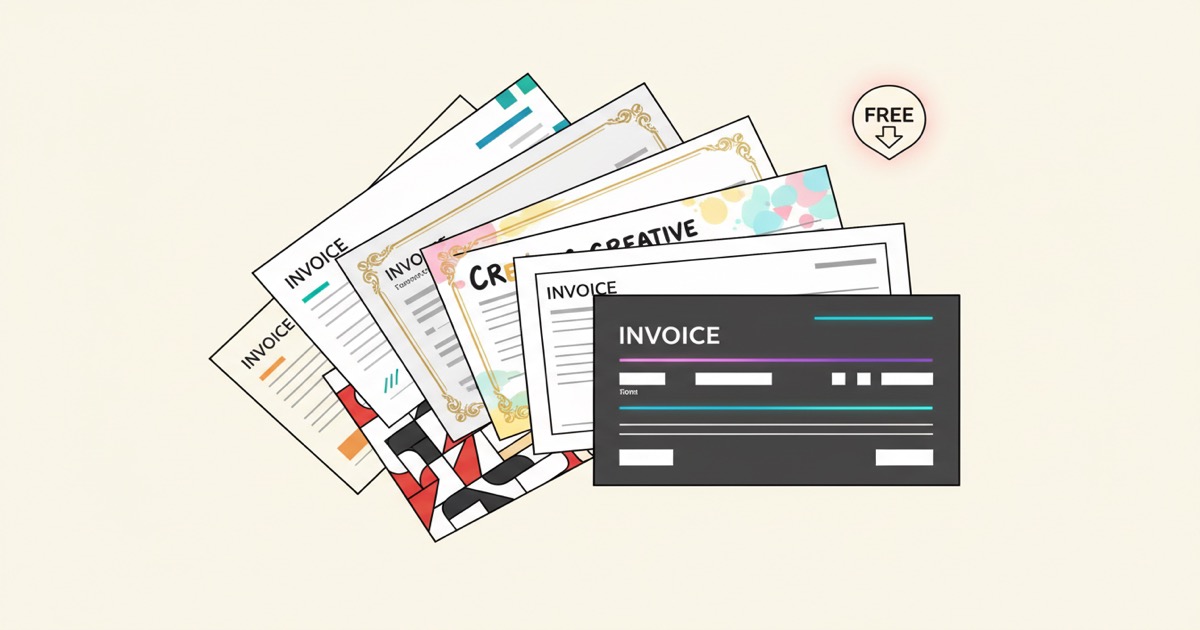
Most invoices are the same document with different numbers. Yet people still spend 10-15 minutes per invoice copying client details into a Word file, formatting line items, and exporting to PDF. If that sounds familiar, you're working too hard.
We built seven invoice templates that you can download and start using right now. No account required for browsing. Each one handles a different use case, from simple flat-fee invoices to multi-page invoices with dynamic line items. Pick one, fill in your details, and generate a PDF.
Key Takeaways
- Seven free invoice templates covering freelance, corporate, recurring, and line-item invoices
- Each template supports 6 color themes and 9 font options
- Upload a spreadsheet to generate hundreds of invoices at once
- Or skip templates entirely and let AI design a custom invoice in 30 seconds
Which Invoice Template Should You Use?
The right template depends on what you're billing for. A freelance designer sending a flat project fee doesn't need the same layout as a wholesaler with 40 line items per order. Here's what each template does and who it's built for.
1. Simple Minimalist Invoice
Best for: Flat-fee services, single-item billing, consultants
This is the simplest option. No line items, no item tables. Just your company info, client info, a description, and a total. It's clean, fast, and gets out of the way.
Fields included: Company name, client name, invoice number, date, due date, description, amount, payment terms.
Browse and download the Simple Minimalist Invoice
2. Modern Line-Items Invoice
Best for: Agencies, product sellers, anyone billing multiple items
The workhorse. This template includes a full line-item table with descriptions, quantities, unit prices, and totals. It calculates subtotals, tax, and the grand total automatically. If your invoices regularly have more than one item, this is your starting point.
Fields included: All company and client fields, plus a repeating line-item section with description, quantity, unit price, and line total. Subtotal, tax, and grand total.
Browse and download the Modern Line-Items Invoice
3. Dark Premium Invoice
Best for: Creative professionals, luxury brands, high-end services
Same line-item functionality as the Modern template, but with a dark color scheme and gold accents. If your brand skews premium, this one looks the part. Elegant serif typography gives it a polished, upscale feel.
Fields included: Same as Modern Line-Items, plus notes and payment instructions sections.
Browse and download the Dark Premium Invoice
4. Corporate Invoice
Best for: B2B companies, enterprise billing, procurement departments
Structured and formal. Diagonal header, clear section dividers, and a layout designed to pass through procurement and accounts payable without confusion. Everything a finance team expects to see is exactly where they'd look for it.
Fields included: Company details, client details, PO number, invoice number, line items with full calculations, payment terms, and bank details.
Browse and download the Corporate Invoice
5. Freelance Creative Invoice
Best for: Freelancers, contractors, solo professionals
Personality-forward without being unprofessional. This template is designed for people who want their invoice to feel like them, not like a generic accounting form. Bold layout with room for a project description alongside your line items.
Fields included: Your name/brand, client name, project description, line items, subtotal, tax, total, payment method, and due date.
Browse and download the Freelance Creative Invoice
6. Recurring Billing Invoice
Best for: Subscription services, retainers, monthly billing
Built specifically for invoices that go out on a regular schedule. Includes a billing period field, recurring amount, and payment status. If you send the same client roughly the same invoice every month, this template makes it effortless.
Fields included: Billing period (start/end dates), recurring amount, payment status, invoice history reference, all standard company and client fields.
Browse and download the Recurring Billing Invoice
7. Proforma Invoice
Best for: International trade, pre-shipment billing, customs documentation
A proforma invoice isn't a demand for payment. It's a preliminary bill that outlines expected costs before goods are shipped. This template includes fields specific to international commerce, like shipping terms and incoterms.
Fields included: Buyer and seller details, item descriptions with HS codes, shipping terms, estimated delivery, and total estimated cost.
Browse and download the Proforma Invoice
Can You Customize the Colors and Fonts?
Every template in the library comes with 6 built-in color themes: Zinc (clean gray), Ocean (blue), Forest (green), Warm (amber), Rose (pink), and Midnight (dark). You can also choose from 9 font options including DM Sans, Inter, Playfair Display, and more.
Switching themes takes one click. You don't need to edit any code or redesign anything. Preview each combination before you generate.
What If You Need to Send Hundreds of Invoices?
This is where templates really pay off. Instead of filling in one invoice at a time, you can upload a spreadsheet (CSV or Excel) with all your client data and generate every invoice at once.
Say you have 200 clients. Your spreadsheet has columns for client_name, address, invoice_number, amount, and due_date. Upload the spreadsheet, select your template, and EZdoc generates 200 personalized invoices in about two minutes. Download them all as a single ZIP file.
For a step-by-step walkthrough of the batch generation workflow, including templates with dynamic line items, check out our guide on generating personalized PDFs from a CSV.
We also wrote a detailed post about how our free invoice template handles dynamic line items, including the exact Word template Marcus from Steeped & Leafy Co. uses for his weekly tea invoices.
What If None of These Templates Fit?
Sometimes you need something specific. Maybe your industry has particular requirements, or your brand has a look that none of these seven templates match.
That's what the AI invoice generator is for. Instead of picking a template, you describe what you need in plain text:
"Invoice for a landscape architecture firm. Dark green header with white text, company logo at top left, line items for services like Site Analysis, Planting Design, and Project Management. Include a notes section for payment terms and a bank transfer details box at the bottom."
About 30 seconds later, you have a custom-designed invoice PDF. No template browsing, no drag-and-drop editing. Just a description and a download.
The free tier includes 3 free AI generations (lifetime). If you need more, credit packs start at $5 for 4 generations, no subscription required.
FAQ
Do I need an account to browse the templates?
No. The template library is public. You can preview every template with sample data, switch color themes, and see exactly what you'll get before creating an account. You'll need a free account to download and generate PDFs.
Can I add my company logo to these templates?
Yes. When you generate documents using the AI Builder, you can include a logo URL or paste SVG markup directly. For the template library, your Word templates can include logo placeholders that get filled from your spreadsheet data.
What file format are the generated invoices?
All generated documents are PDFs. They're print-ready, email-ready, and work on any device. No proprietary formats, no watermarks, no restrictions.
Can I use these templates for free?
Yes. The free tier gives you 25 pages per month. A single-page invoice counts as one page. That's 25 invoices a month at no cost, no credit card required. Sign up here to get started.
What if I need invoices with different line items for each client?
That's exactly what the line-item templates are built for. Your spreadsheet can have a different number of products or services per client, and the template expands to fit. One client with 3 items and another with 15 items both work from the same template. See our dynamic line items guide for the full walkthrough.
Start Sending Professional Invoices Today
You don't need to spend an evening formatting invoices in Word. Pick a template, fill in your info, and generate a PDF. Or describe what you want and let the AI build it for you.
Browse the full template library to find your starting point, or go straight to the AI Builder if you'd rather describe your perfect invoice and have it designed from scratch.
Either way, you'll have a professional invoice ready to send in minutes.
Looking for more ways to use AI for business documents? Check out our complete guide to AI document generation, or see how the same workflow applies to resumes and flyers.
- Jason